
The building blocks for your business application.
Start with a plain-language need or a UERP module. AI helps prepare an initial structure; you shape the screens, data, rules, and connections around the way your team works.
Early access on request · Each application’s scope is defined with the UERP.AI team.
Six capabilities, one application shaped around your work.
Start with one priority use case, then add the screens, processes, and tools your project needs as it grows.
AI-assisted setup
Describe your users, data, and expected outcome to prepare an initial foundation for review.
UERP business modules
Build on existing structured components and adapt them to your organization.
Screens and data
Organize fields, views, and actions around the information your teams actually use.
Workflows and approvals
Define the steps, responsibilities, and decisions in your business processes.
APIs and connectors
Connect the application with tools and data in your environment as the project requires.
Progressive growth
Extend the scope to new uses without starting over at every stage.
A new idea or an existing foundation.
A useful application starts with a specific process. UERP.AI helps organize that need into an initial structure; business decisions are then reviewed and adjusted with you.
The proposed structure depends on your requirements and the available components.
Explanatory diagram, not a screenshot of an automated generation.
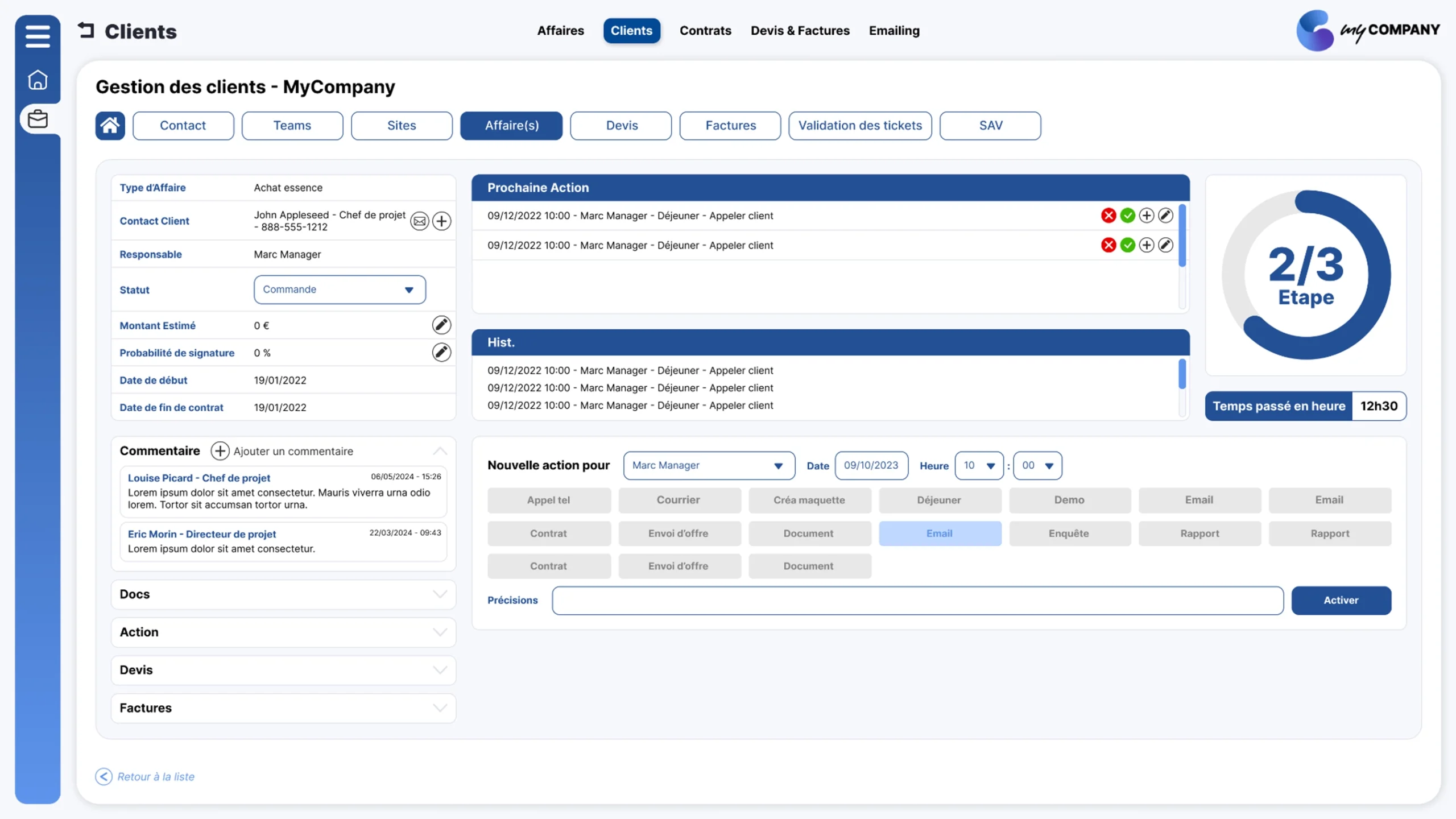
Screens that reflect how your team works.
An initial foundation is only the beginning. Fields, views, roles, and approvals need to match real tasks. Test the journey, refine the rules, and make clear who can view, change, or approve each piece of information.
- Data suited to each user
- Clear processing steps
- Defined roles and permissions
Connect, deploy, and grow.
The application can fit into your ecosystem through APIs and connectors. Integrations, hosting, and deployment are scoped around the tools involved and your requirements.
Connect data
Explore useful exchanges with existing software to reduce duplicate entry.
Control access
Organize roles and permissions around the people and data involved.
Extend use cases
Gradually add new screens, rules, or processes to your application.
What to know before you begin.
Do I need development skills?
The process starts with your business knowledge. Some advanced integrations or configurations may require support from the UERP.AI team.
Does AI decide how the final application works?
AI helps prepare an initial structure. Screens, rules, and approvals must then be reviewed and adapted to your context.
Which software can I connect?
Options depend on the APIs, tools, and scope of the project. They are clarified during scoping.
Can I use UERP.AI right away?
Self-service access is in preparation. You can currently request early access or a demo.
Start with your priority need.
Tell us about the process you want to structure. We can discuss an initial application, its features, and the connections that matter.